
To download your tickets, please follow these instructions:
Log into your PremiumEnt.com account.
If you don't yet have an account, click Register
Complete the required fields - make sure to use the same email you used to get your ticket confirmation
Once in your account:
- Go to My Tickets Tab
- Find the Event tickets you want
- Then Click on the Download Icon -
- you will be prompted to enter your mobile number
- click GO
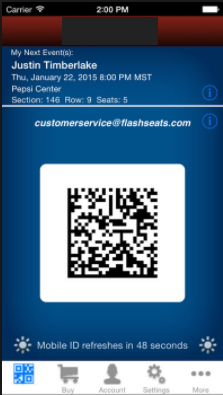
- you will receive a text message with a link to your tickets and barcode
Bring your mobile to the event and this barcode will get you into the event.
Comments
0 comments
Please sign in to leave a comment.